Showing posts with label computer stuff. Show all posts

Monday, July 20

The Future

     I have spoke before about the rodent name of computer hardware. It is now time to move beyond the mouse... the new technology leans to the Mongolian Gerbil. Yes... the future is the Gerbil rather than the mouse. Mice are bad news, women jumping up on chairs and even Elephants are scared of this terrible rodent. I mean who could be afraid of a Mongolian Gerbil? They are so cute. So having just replaced my computer mouse with a computer (Logitech) gerbil I am confident my computer skills will far exceed yours. Not because I know more but simply my rodent is not as horrifying as yours.

Thursday, July 28

The Blue

Have you ever seen the blue screen of death? This is not a good thing. When this screen appears on the monitor it says either you did something you should not have done, or maybe someone has access to your files and is about to make your cyber life a living hell. Format is the usual and easiest fix to this. Yea... start over, begin again, re-install Windows. All the tweaks will have to be redone, customizing... not now, you are back to the default (how Windows wants your computer) Well, it is one of my hobbies, I love messing with computers. So I sit here tonight messing with all the stuffs, download this program, that browser, all the stuff I used to have but lost in the torrential download disaster. I will tell you I am back to the hard wire connection, seems the disaster cooked my wireless adapter... geeze

Saturday, March 6

Cell Mart


And my last visit to the cellmart (to buy cells no less) went so well, so much help. That is important for "big money" purchases; having an informed, intelligent, customer driven clerk/sales staff. Yea $200 ain't all THAT of a "big money" but is enough to warrant top notch staff waiting on me. So that was great, the phones and all, treated great, welcoming my business back. Problem with these "Cellmarts" you never get enough 'stuff' from them and you go back a few times after the original purchase. more stuff we call it. I am a total newbie to the 3G phone or we will call this the veritable hand size computer.  Well the clerk/associate this visit seemed real interested in more purchase from me. How about this, this might be what you are looking for.. do you have a computer? we have a laptop yata yata yata... You know, sure he's a "salesman" and thats his bread and butter but lets stay in the topic area... stuff for my 3G phone/computer please. Comes right down to  this, my phone can do music, I just need to get one of those memory cards for the phone. So I walk in, sign in then I wait for the available "Associate". Why they don't just call these people 'sales sharks' is beyond me. 

Original plan, by Pirates standards, I'll take this holster we got that didn't work, or so we thought, return and get a memory card for my phone. End up I return the holster, end up with a replacement, puchase the memory card, purchase the card reader (for the computer) the deluxe model at that and purchase a head set (which is why I am bitching in the first place) and a free car charger. He did quickly pass over the "only five bucks" after saying I could get the charger for free. 


        Now mind you, I specifically asked him if the jack on the head set would fit THIS phone. Of course, I'm certain was the answer. And off I go... loaded with electronic goodies, I'm such a sucker for this stuff. Get home, worked on the music trans to the card, all that turn on the music from the phone.Sounded worse than an old transister radio (those that remember those)... think it probably sounds better in the head phones. God don't you hate these human proof packages the cells come in? Get my head set and don't you know, the jack was the same as the other headset I had, too small. 
        
        Not really being one to want to stir up trouble, I did call to complain, I did give the transaction number and all those little particulars, and stated, the facts, as they were; resulting in nothing, of course, just I have to drive back up to Cellmart tomorrow.


          There, said my piece!
       

Keeping it simple


Though I don't use the start menu that much, I do like to keep it condensed and organized. 

        This is a screen shot of the "All Programs" tab on my start menu. You might be thinking, wow, he really doesn't have that many programs on his computer. Well each of the folders in the pop-up screen (context) is filled with program shortcuts. The folders I have created on my start menu keep similar programs sorted into groups:
  • Accessories (windows default)
  • Extras and Upgrades (windows default)
  • Games
  • Internet Apps
  • Media Apps
  • System Tools
Just to name a few of my folders

If you just look over the programs that are set in the start menu you will get an idea of what folder they belong in.
         Now when I was first introduced to this idea; my 'all programs' tab was a mess, depending on how fast your mind could absorb what it sees. It could take days, weeks or perhaps months to find the program shortcut you were looking for.
        Creating the folders is easy.... from the Windows Explore (right click start/select Explore,
By default, will open to the start menu, open the Programs tab, in an empty area of the right column right click the mouse, and select New, another context will come up, select Folder, rename the folder. After you have created the folders to sort your programs you can go to the All Programs tab, drag and drop the program shortcut in its respective folder. This will condense the All Programs and be a bit more sorted then just having all the shortcuts showing individually. Put in to "a desk top" format, would it be easier to sort through a pile of 30 pages, or would it be easier to sort through 7 folders with the pages sorted by type of program?


Friday, February 26

It's still just a phone

So... alls I need is one of these and you say I can just sell my computer? Really, if I can check my email, chat on line, check on all the web sites, I think you can even blog with one of these. What the heck am I maintaining and paying for a connection from either a desk top or a laptop. This is the veritable mini-computer in my pocket. It goes where I go, I can access all my computer stuff and fitted with a head set I can even get my tunes... online even with that cool website Pandora (only available in the usa) but I'm sure you can use yahell for tunes too. How much can you do with this phone? or would it be more logical to ask "what CAN'T you do with this phone. I hear there is a storage compartment and a cigarette lighter on this phone. I think this is all Batman needed for his "Utility Belt". Can you hook this phone up to your printer? And then the questions begin... is it a "desktop" or a "phone pad" Time to change the button on the start menu, from 'my computer' to 'my phone'.  

Imagine all the room that can be made available on this desk, one item the size of the mouse (the black thing on the right of the keyboard)

Bookmark and Share

Saturday, February 20

Problem solved after how many years?

I am not sure everyone caught the gripping, I had given up and just figured I would live with the problem. What was the problem? When I first started my blog a few years back I was searching for the "perfect template". For some strange reason I couldn't find anything that really opened my eyes looking through what Blogger had to offer. I did finally find one that I liked, not realizing I could control the background color and such of whatever template I installed. What I found was to my eyes perfect except for a few small details. I could not post a picture with the title/description, and the date/time stamp always read "undefined". Not being a veteran to the blogosphere I looked in page elements, settings, layout etc, all the stuff that I knew to change the look of an individual page. I went along thinking nothing of it really, just the voice in my head (yes I have those) kept saying "there has to be a way to fix this."


Alas.... I was giving it a try again today and the past few to figure the solution to this problem. It was just my Pirate Named Neo page. I have a few others I post to occasionally everything is fine, have created pages for MsNeo no problem. I tried looking through the html edit, basically french to me, wii,wii mizure... weak I know but I can understand a few codes in html, line breaks, bold fonts, font colors etc... but the overall process is as a foreign language. I am getting better though.

So I decide a google search is in order here. My main concern was the date/time stamp; I type into the google search, " date time undefined". In the very first head line at the top of the page reads "did you recently use a third party template?" I open that page and read a bit. It was a forum, speaking of the same problem I was having, a few lines down the answer was there in settings, formatting. Revert widgets back to default. So after years of scratching my head not knowing how to fix, google took me right there to it. 

You knew I had to throw a screen shot in, didn't you? 

I have no idea that crossing the widget line, and going for a third party template could cause such a problem. 


Bookmark and Share

Thursday, February 18

Crazy Games

Crazy games... facebook has a ton of them. Was trying my hand at Mafia Wars but got sorta bored with that, went back to just being a Pirate. Now this is a cute little game. MsNeo has been doing this for some time now, and did spark a small interest in me. Its sorta funny you prepare and serve food for the customers, I think its just down right cute. Anyway, I know I say I'm not all that into games, I just thought I would give a few of em a try, this one seems pretty fun. A waste of time sure, but still fun.


Bookmark and Share

Wednesday, February 10

Just Browsing

The main feature in this shot is supposed to be the browser, theme, color, layout etc.
Sand is the name they give to this particular layout. If you are still using IE as your road into the cyber-world highway, you have totally missed the boat. Personally I think Microsoft has their hands in too many cookie jars. Their [products] include:
  • OS Windows
  • Windows Media Player
  • Outlook Email
  • Internet Explorer (browser)
  • Spyware Scans
  • Firewall (security)
  • Office tools
  • Adware Blocker


The list is actually longer than what I have named. You know how it goes, if it involves windows based programing Microsoft is there. Sort of sum it up in "Yea, we got an app for that." 


Mozilla, on the other hand, does browsers and pretty much browsers only. Step aside with me a minute here. Say you are into scuba diving, and say you need some 'accessories' for your wetsuit, would you not go to a specialty store for scuba diving as opposed to a general "sporting goods" store? or You have a pickup to replace on your guitar, don't you go to someone that knows and specializes in guitars? I suppose one could raise the point, you already make the software for the operating system, doesn't it just make sense to do all the other stuff too? Have you ever heard the saying "spread to thin". Imagine if you could for just a minute, or maybe 20 seconds, what if Microsoft had nothing to concern itself with but Windows Vista, or Windows 7. Would you think the  "bugs" and problems would be less, if even there at all? Yes you may raise the fact the Mozilla offers a wide range of [product] Firefox, Netscape and Email programs such as Thunderbird. I see this as 'all falling under one roof', Internet access. I for one am more satisfied with the quality and variety offered by Mozilla than the "one size fits all" of Microsoft. 
This has been just one geeks opinion.    Oh, btw... I like Opera browser better than IE I like Google Chrome better than IE and have I even tried the SeaMonkey project and liked it better than IE.


Its not supposed to seem like an advertisement,
even though it does.


Bookmark and Share

Sunday, February 7

Start Menu or Explore... You be the judge.

As I generally use the windows explore feature to access my folders and files I did want to do a walk through on the start menu. Click on the pictures to get a larger view.

pretty cool desktop... wouldn't you say?

We will start with a click on the Start button to bring up the start menu. You will notice 'My Computer' has been changed to Pirate Central, I'm a custom computer type user... nothing default about this guy. 

You may have noticed my 'quick launch' is loaded with buttons. If you find you use a program or feature on your computer often this is the best way to get access to that feature. Simply drag and drop the icon in the quick launch and it is there, easy access is my game plan.


A click on the C drive will bring you to the 3rd screen shot shown.
One thing to realize windows by default is set up with folders in the start menu, My Documents, Music, Video etc. which is actually contained in the C drive. I set my music in a Parent folder with music as one of the subfolders. I call this Audio, as not everything in the folder is music. Well it made sense when I set my folders. 

Now I always did find this to be a tedious way of getting to a folder. My way would of course as I stated be using the windows explore feature. Right click the start button, in the context choose explore, all the folders display and I click to the destination folder. 


So this is the destination folder... Where I store my Music and other Audio files


.


Bookmark and Share

Wednesday, February 3

Calendars and Tool bars a Mix you won't find anywhere else.


Back at it again, how you like this calendar?
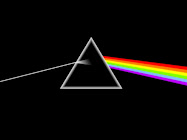
As I love to have a custom calendar at my disposal, I love the google calendar. If you go to settings on the navigation toolbar you can add a picture to the calendar and not have to look at a plain white one. Pink Floyd being my favorite band I thought I would give this pic a try for a month or so. You must be thinking this guy has alot of time on his hands and needs help. The help I need is not available outside the psych ward. Really though I just get a kick out of doing stuff with my computer. Setting it up, customizing the different pages and all that. Probably why I like the blogger page, I can set up a blog page with whatever I want to be on it... well with in limits of course.

Tool Bars and do I really need this?

See, I used to have 2 search bars on my browser, the main one set to google search engine and a smaller google search bar. Now being one to conserve space I am thinking, I never have used the smaller google bar, so why have it here wasting space? If I need to "google" a subject, I just go to my main browser.
I am going to figure if you use the Yahell messenger or even used Yahell for anything at all, chances are you have the Yahell Toolbar on your browser page. There are also an infinite number of programs that include Yahell tool bar, search engine and home page with every download and installation. My advice, pay attention to the check boxes and what they include. When I install a program I am going to use the program, not the yahell tool bar and don't be changing my home page or messing with my search engine.  Now not to be anal about this...
This; speaking of the Yahell tool bar, is definitely the biggest waste of space I have ever seen and I would probably get more use out of a tool bar for applied analytical trigonometry. I just seem to have a problem with wasted, useless and incredibly worthless toolbars.  If it is Yahell I can get to it from the messenger window.  Now, lets talk about truly wasting space, shall we? Go to the add/remove programs in the control panel (now called Programs and Features on the newer windows vista/7).  If you have downloaded and installed a program sponsored by Yahell you will probably find the Yahell tool bar, mail and other Yahell programs in the list. I did find in my applied studies you can still get your worthless Yahell mail if you remove that from the programs. This is called wasting 20 some megs of memory for something useless. You may also find the infamous Yahell tool bar in the list of programs. Removing this will not prevent you from using Yahell mail, messenger or Yahell itself, it will however remove that useless tool bar.
While we are on this subject... you might keep an eye out for the Ask toolbar also.


Bookmark and Share

Sunday, January 31

Pirating


I do understand there may be some confusion in my screen name. Now I assure you I am a nice Pirate. I have even helped people who don't understand the computer as well as I do. Oh and just for arguments sake, I really don't know that much at all. I can tell you what I am not, I am not from Pittsburgh, I don't wear a patch over my eye or have a parrot on my shoulder. 

My latest venture in the world of pirating found me more than just a few songs. See... Argh.. I have been with out my Nero Burning Rom since my old dell had a crash n burn. A friend of mine suggested I use a different torrent site to get my downloads from, Pirate Bay is the name of the site. I was looking for a test sample to download. In order to avoid incriminating evidence of the electronic sort, I will say I was offered a gift of the Nero Burning Rom program by about 100,000 friends, so I accepted. It is the latest version 9. It still works like the Nero 7 I had on my old Dell, only I didn't get the "issues" disclaimer saying Nero has shown "known" issues with *Windows XP. *Which was, by the way also a gift, wink wink. So MsNeo buys me a new computer to replace the old and I am again stuck with the Roxio CD creator. Now mind you, Roxio is an ok program, I have only experienced a few issues with it. It has only cost me some dozen or so "coasters". Since I met my friend back in 03 when I got my first home computer I have been using the Nero Burning Rom. Nero seems to work a little more to the point, simple and effective. 


Taking a bit of time today checking out this program, I now have a DVD burner on my computer, the old one could read but not write (qualifies as illiterate) So have burned a few CD and 1 DVD now. All seems in order. 


If interested in the sheep that is in my screen shots here try this link


Bookmark and Share

Tuesday, January 26

more tweaks


Yea, I still got it! Working with MsNeo's laptop; was moving, copying and what not. I posted on this subject a long time ago, added tasks to the right click context. I have done this just a few times so I need to go back to the instructions in a website called tweak vista. Lets say you download a file into a folder and you want to move it to another folder. Rather than highlight and the ole drag n drop or copy and paste;  just right click, and the move to folder or copy to folder tasks will be in the context. Clicking one of these tasks will bring up a point window, find the destination, point and click. The file or folder has been copied or moved. I just did this for MsNeo's laptop 2 times now.  Blowing my own whistle here, I still got the techy ways of a computer geek. Please don't try this if you are not familiar with the windows registry, terrible things can happen if you don't do this right.


Bookmark and Share

Thursday, January 21

Changes


Alright, they did it this time. Those fools at AOL have messed with me the last time. Well not really as they are the ones that provide me with Winamp. The only thing I don't like about Winamp is AOL owns it. It has a small interface, the equalizer stays hidden, until you need to adjust it, and the adjustments actually seem to be worth a darn. Well now Winamp comes up with an update today and when all finished installed and booted back up I find the skin choice has been reduced to only the 'classic' Winamp skin, Its ok I guess, just a little different and I can't change the color scheme as I could on the Winamp 'modern' skin. This is sorta a drag. Clicking the screen shots will give a better view. Not wanting to complain alot, I guess I should just buck up and deal with the change. Just to let you know, I am not real happy about this.


Bookmark and Share

Monday, January 4

Polite Pirate

As you know, I am a Pirate, and not a mean one at that, I am actually quite nice, respectful and have manners. My favorite is the "pirate download of music". Now I know it has to cut into the budget a little when your record sales start dropping off, but think about it really, a rock star on a budget? Maybe sell the Corvette and only have a dozen, instead of a bakers dozen? But anyway, to go on, most of the income is off of touring anyway so I pirate my music. I am a polite pirate as I do leave the torrent up to seed a few days, or till the ratio is 1 or better (this is the ratio of upload to download) Never take with out giving back.


Bookmark and Share

Saturday, July 4

repairs?

This pirate did have a sort of scare today. Computer was doing some funny things. AVG sends a window telling me "out of memory". Windows, being the 'all knowing' gives me the choice to 'let Windows find the solution'. Clicking this window, and wonderful Windows in a Vista way 'thinks' through the problem and comes back with a "driver needed". Now I have seen the company up the street from work always has a sign out front that says the same thing; but I'm willing to bet we are talking about different things. So as things turn out, I need to download and install a driver for my Intel Pro 1000 Network Adapter. But wait just a minute, My network adapter was just fine, what do you mean I need to download and install? Well Windows being Windows, must have lost it somewhere. I go to the start>right click computer and click the manage tab. Down the list I go to find Network Adapter, and sure enough, that darn exclamation point is there. Go to 'update driver' and what do you know, Windows can't find it.

Still thinking of a Reuben sandwich, has to settle on ham and swiss on rye w/mustard.

So I'm thinking, go to the Dell site, find the driver and be done with this mess. Well I did finally find the Intel driver I needed, but left me thinking, if there was a problem with the network adapter, how was my computer able to stay online? well any how, I downloaded a driver that had all the right words on it and now the exclamation point is gone.

I'm starting to believe this Windows Vista is just a deluxe model of Windows XP.


Bookmark and Share

Sunday, June 28

Mr President


Ok more Bing.com, finding most of George is the same as the Portrait on the dollar. Why didn't they just do a digital cam shot or maybe even a web cam or something? lmao
Bookmark and Share

Bing?


This is something, a product from Microsoft that doesn't do crazy things, like crash your whole system. Being a Google fan/follower/user I wanted to give the Bing.com a try and see how it works. So I did a 'bing search' to see how it compared with Google. Well I guess it can't be that hard to replicate what Google has, search with the parameters set by key words. On a search for red dragons I did find the specific pic I was looking for but found a few I haven't seen before, this being one of those. I'm a old time Google fan though, thinking things will still be "Google it" and not the new "Bing it". Look at Yahoo, never earned the status to have an overall search referred to as "Yahoo it". Google is some pretty cool stuff. I have even tried Chrome, the browser Google put out about a year and a half ago. I thought it quicker than foxfire and way better than IE but did not support my blog site and that is what I am online about anymore... uninstalled that one. Anyhow, Bing is an ok overall search engine, as far as I have seen so far.
I did however come up with a few more 'off topic' results, such as this.


Bookmark and Share

Sunday, June 21

breaking the law?

If you download music (pirating as it is commonly called) and who doesn't? maybe you should try a program like this one. I got away from the limewire, bearshare, and such back when I learned I could get albums instead of songs with Bit Torrents. Ares, pronounced the same as my cats name, Aries, is a pretty good file share program. This coming from a guy who used to have an FTP set up on his computer. In fact you can access bit torrent through the Ares program. Once on the web your material is essentially free to every one. Considering I was brought up in the share and share alike mindset, I am not breaking any laws sharing my music with others. I just have allot more friends now than back in the day my friend had a cassette recorder on his stereo and would get all the latest album releases (he bought the album, I came over with a cassette to record on.) And if you don't like the hollow sound of the .mp3 try a .flac you would be amazed at the difference.


Bookmark and Share

Sunday morning ramblings

in the lower left corner is probably the best feature on Windows. The Quick Launch tool bar is what I open programs with. I can keep my screen free of all the clutter from the icons on the desktop. I sure hope Bill doesn't get some wild idea of changing this like he did "add/remove programs" when Vista came out. I recall one of the first things I was doing with my new computer was get some of the worthless junk off the hard drive. So I open the "control panel" and look for add/remove on the top row of the "Classic Windows" view. I couldn't find it, or on the next line down. I was getting sorta nervous at this point. If we still use the same language, A as in Add would be at the top. How the heck do I remove programs. Well the whole experience was short lived, seems Bill saw what nobody else saw. The add/remove feature needed perfecting on top of already being the perfect feature. Now called "Programs and Features" and he also decided that since there is no reason for me to be using that "feature" moved it down the list almost halfway down the page. Minding that the "classic windows" has also changed into something I have never seen before.
Doesn't this defeat the purpose of the name "classic ".
It does after all done and said, make more sense the way it is now. I don't believe I ever knew how to add a program through the "add/remove" feature.

if you didn't know you can set your taskbar on either side, top or bottom of the screen.

If you don't want to see all icons on the desktop you don't have to. Simply right click an open part of the screen and click on view.

New idea for Bill, instead of a start button we start calling the start/stop button, and put it in the system tray


Bookmark and Share

lame

Now, real quick, look up at the tool bars on the top banner. Is yahoo there? Lets think about this for a minute, a tool bar is a short cut to features on your computer. Best to keep it simple. Remove yahoo as you have probably never used it even once. Email? come on now, yahoo is already in more short cuts on your computer than "my computer". We are looking to save physical space on the monitor, don't take up room with something you don't need. Now if you want to access the web and all the information available to you using something as lame as yahoo go ahead be my guest (in my opinion yahoo tool bar is the most useless tool bar available)


Bookmark and Share